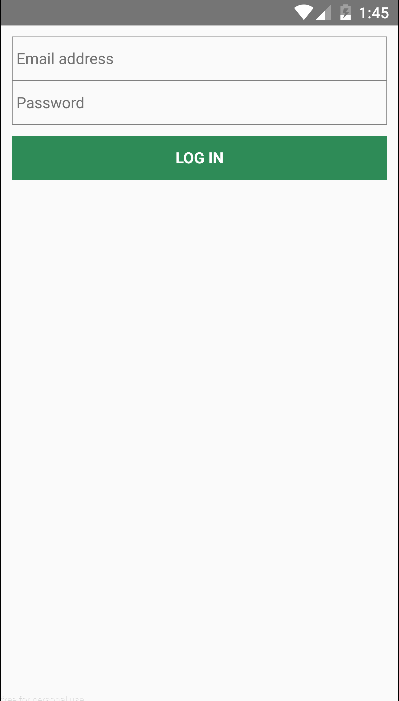
I am learning react-native programming, creating toolbar using this https://facebook.github.io/react-native/docs/toolbarandroid.html but in my case it is not being showed. I could not understand what exactly mistake I am doing.
Can anyone help me for this.
 import React, { Component } from 'react';
 import { AppRegistry, Text, View, TextInput, TouchableOpacity, ToolbarAndroid } from 'react-native';
 import { ToolBar } from 'react-native-material-design';

 class LoginComponent extends Component {
   render() {
     return (
          <View style={{flex: 1, flexDirection: 'column', margin:10}}>

            <ToolbarAndroid title="Login" titleColor="black"/>

            <TextInput style={{height: 40, borderColor:'gray', borderWidth: .5}}
                placeholder="Email address" underlineColorAndroid='transparent'/>

            <TextInput style={{height: 40, borderColor:'gray', borderWidth: .5}}
                placeholder="Password" secureTextEntry={true} underlineColorAndroid='transparent'/>

            <TouchableOpacity style={{ height: 40, marginTop: 10 , backgroundColor: '#2E8B57'}}>
                <Text style={{color: 'white', textAlign: 'center', marginTop: 10, fontWeight: 'bold'}}>LOG IN</Text>
            </TouchableOpacity>
       </View>
     );
   }
 }

 AppRegistry.registerComponent('Myntra', () => LoginComponent);